In this tutorial I'll share a real example of how to call a Swift function in C++ for XCode projects that contain C++ dependencies
Why call Swift functions from C++ code?
I'm making a game engine in Swift, that uses Box2D as the physics engine. Box2D is a C++ library, and provides many interfaces for accessing collisions that occur in the Box2D world. When you implement `public b2ContactListener` within a C++ header, and set this on the main world pointer with world->SetContactListener(m_customContactListener); you gain direct access to Box2D's collision events, which is crucial for performing game logic that is physics based.
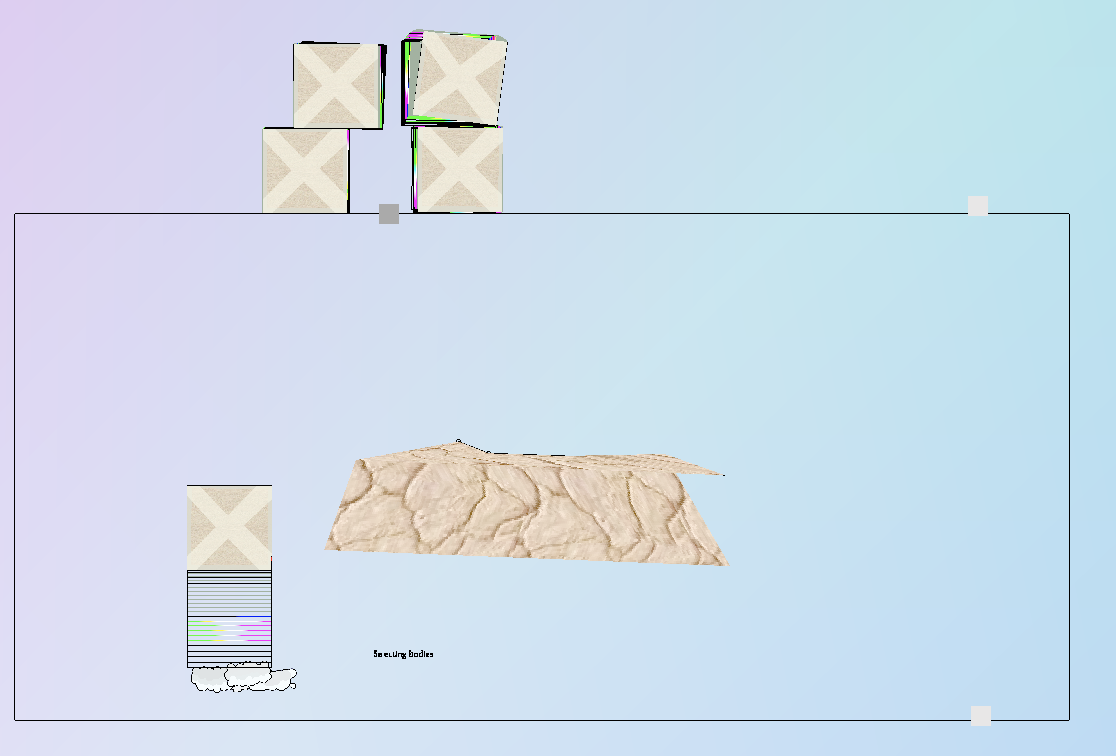
boxes-in-box2d.png231 KB In this example, I want to play a sound when any `BeginContact()` event is fired in Box2D. Swift has a library for initializing an audio context and playing a sound file, let's have a look at the Swift Scene we've created for this purpose.
import MetalKit
import AVFoundation
class SoundScene : Scene {
var audioPlayer: AVAudioPlayer?
var edgebox: EdgeBox!
overridefunc scrollWheel() {
(currentCamera as! OrthoCamera).scaleFrame(Mouse.GetDWheel())
}
overridefunc buildScene() {
edgebox = EdgeBox(center: float2(0.0), size: float2(12,12))
addChild(edgebox)
let pathtosound = Bundle.main.path(forResource: "bonk sound", ofType: "wav")!
audioPlayer = try? AVAudioPlayer(contentsOf: URL(fileURLWithPath: pathtosound))
}
// this is the function we want to be called by Box2D's BeginContact event listener
privatefunc _beginContactCallback(_ hit: Bool) {
if(hit) {
//sound gets played when the function is called from C++
audioPlayer?.play()
} else {
print("something else")
}
}
overridefunc mouseUp() {
addBoxBody()
}
privatevar boxBodies: [InB2] = []
privatefunc addBoxBody() {
let newBox = InB2(fileNamed: "wood_box")
boxBodies.append(newBox)
addChild(newBox)
}
}
Implementation overview
In order to pass the function as a parameter to the Box2D CustomContactListener C++ class for calling the Swift function within C++ whenever BeginContact is called, we will need to do the following:
In your Xcode Project > Targets > Build Settings, specify your Objective-C bridging header.
Define an Objective C interface that will be used in the project's Bridging header which accepts Objective C function type syntax
Implement the ContactListener class in C++ for listening to Box2D collisions with the exact same function type as a parameter for the C++ listener
Pass the function from Swift to Objective C and from Obj C to C++
Call the function in the C++ CustomContactListener class BeginContact method, and verify that the swift function was called!
1. Set the Objective-C bridging header
A prerequisite to getting this to work is to define an Objective-C Bridging Header.
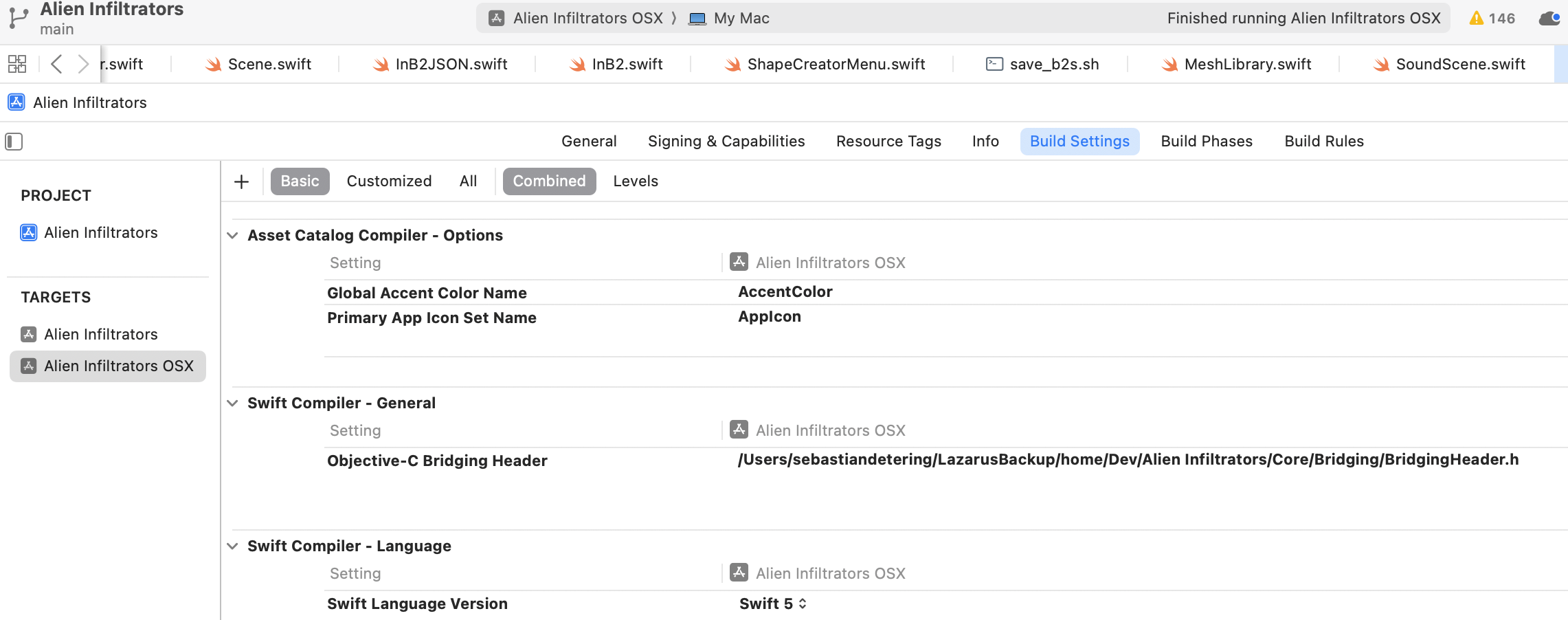
you need to define your Objective-C Bridging Header within your project's target
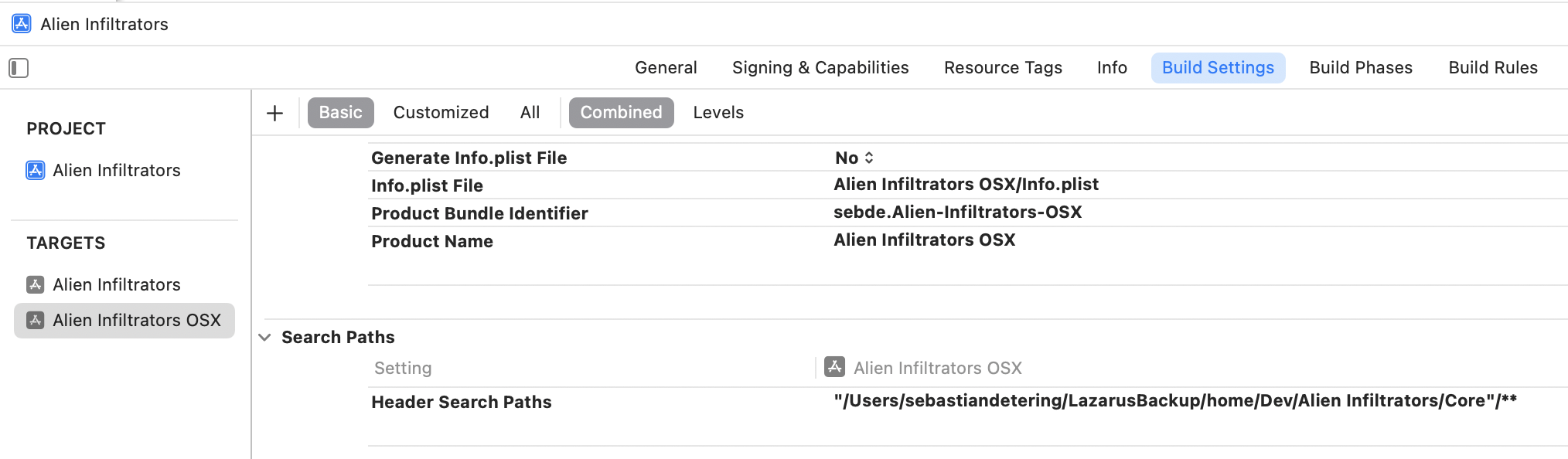
Make sure also to set the Header Search Paths where your C++ libraries' headers are. In targets > Your OSX target > Build Settings > Search Paths > Header Search paths, set the value to "<DirectoryWithHeaders>"/**
Your project target's Build Settings Search Paths need to point to the directory that contains all C++ header files
2. Define the Objective-C interface
The interface will need to be in Objective-C such that it is picked up by the Swift compiler. In this example, for keeping the article short, I will show you only the CustomContactBridger.h, not the entire project. Don't worry, I plan to open source the engine once I've completed it!
CustomContactBridger.h defines a bare-bones Obective-C interface that has only what we need to call a Swift function from C++ when the Box2D BeginContact function is called by Box2D. In the initWithCallbacks initializer, we pass beginContactCallback, which is of type void(^)(bool). Translated to Swift, that is (Bool) -> (), or in English (A function that takes boolean -> and returns nothing). As a reminder, here's the original Swift function in the SoundScene.swift:
// see how it returns nothing, and takes a parameter that is a Bool
privatefunc _beginContactCallback(_ hit: Bool) {
if(hit) {
print("bonk sound played!")
audioPlayer?.play()
} else {
print("something else")
}
}
Here's the Objective-C interface defined in the header file included in the bridging header, honestly Objective-C is gibberish to me, so I made sure to follow a convention for class initializers from microsoft's github. Essentially this just says there's an initialize method, I will need to give it a Box2D world pointer, and there will be one static CustomContactBridger pointer named m_customContactBridger;
3. Implement the ContactListener class in C++ for listening to Box2D collisions with the exact same function type as a parameter for the C++ listener
Have a look at Custom class I've created that inherits from Box2D's b2ContactListener. Box2D provides these methods for retrieving collision data when it happens within b2WorldCallbacks.h. Pay attention to #include <functional> this includes a utility, the C++ function type library that we need to tell C++ that m_beginContactClosure is a function, that returns void and takes a bool. m_beginContactClosure is the exact same function type as the Swift function! So to recap, our function in Swift is (Bool) -> (), in Objective-C it is void(^)(bool), in C++ it is std::function<void(bool)>, and in plain English (this parameter is: A function that takes boolean -> and returns nothing).
/// CustomContactListener.h
#ifndef CustomContactListener_h
#define CustomContactListener_h

#include "Box2D.h"
#include <functional>

/// see the warnings in b2WorldCallbacks.h
/// @warning You cannot create/destroy Box2D entities inside these callbacks.
class CustomContactListener: public b2ContactListener {
public:
    CustomContactListener( std::function<void(bool)> beginContactClosure );

    void PreSolve(b2Contact* contact, const b2Manifold* oldManifold);

    /// Called when two fixtures begin to touch.
    void BeginContact(b2Contact* contact);

    /// Called when two fixtures cease to touch.
    void EndContact(b2Contact* contact);

    std::function<void(bool)> m_beginContactClosure;
};

#endif /* CustomContactListener_h */
In order to avoid wrangling C++ header import order, I'll define the implementation together within the Objective-C implementation file, CustomContactBridger.mm.
// CustomContactBridger.mm
#include "CustomContactListener.h"
#include "CustomContactBridger.h"
#include "b2World.h"
#include <functional> // I need this again for the CustomContactListener(std::function<void (bool)> beginContactClosure) initializer

static CustomContactListener *m_customContactListener;

CustomContactListener::CustomContactListener(std::function<void (bool)> beginContactClosure) {
    m_beginContactClosure = beginContactClosure;
};

void CustomContactListener::BeginContact(b2Contact* contact) {
    m_beginContactClosure(true); // This is calling the Swift function
};

void CustomContactListener::EndContact(b2Contact* contact) {
    B2_NOT_USED(contact); // we're not doing anything with this yet
};


void CustomContactListener::PreSolve(b2Contact *contact, const b2Manifold *oldManifold) {
    return; // not doing anything with this yet
};
4. Pass the function from Swift to Objective C and from Obj C to C++
Now we have the skeleton, and we can call the Swift function within the CustomContactListener C++ class instance, so in the same Objective-C source file we can implement the Objective-C interface
// CustomContactBridger.mm
#include "CustomContactListener.h"
#include "CustomContactBridger.h"
#include "b2World.h"
#include <functional>
static CustomContactListener *m_customContactListener;
@implementation CustomContactBridger
@synthesize beginContact = _beginContact;
- (instancetype)initWithCallbacks:(b2World*)world beginContactCallback:(void (^)(bool))beginContactCallback {
self = [super init];
_beginContact = beginContactCallback;
returnself;
};
+ (void) initialize:(b2World*)world beginContactCallback:(void (^)(bool))beginContactCallback {
m_customContactBridger = [[CustomContactBridger alloc] initWithCallbacks:world beginContactCallback:beginContactCallback];
printf("initialized!");
m_customContactListener = new CustomContactListener(beginContactCallback);
world->SetContactListener(m_customContactListener);
printf("set on world!");
};
@end
//... the rest of the CustomContactListener C++ class definitions
In SoundScene.swift, because CustomContactBridger is an Objective-C interface and was included in the bridging header, we can use it directly in our Swift code now. Given that `Box2DBridging.getWorld()` returns my main world pointer, of type b2World* world;
5. Call the function in the C++ CustomContactListener class BeginContact method, and verify that the swift function was called
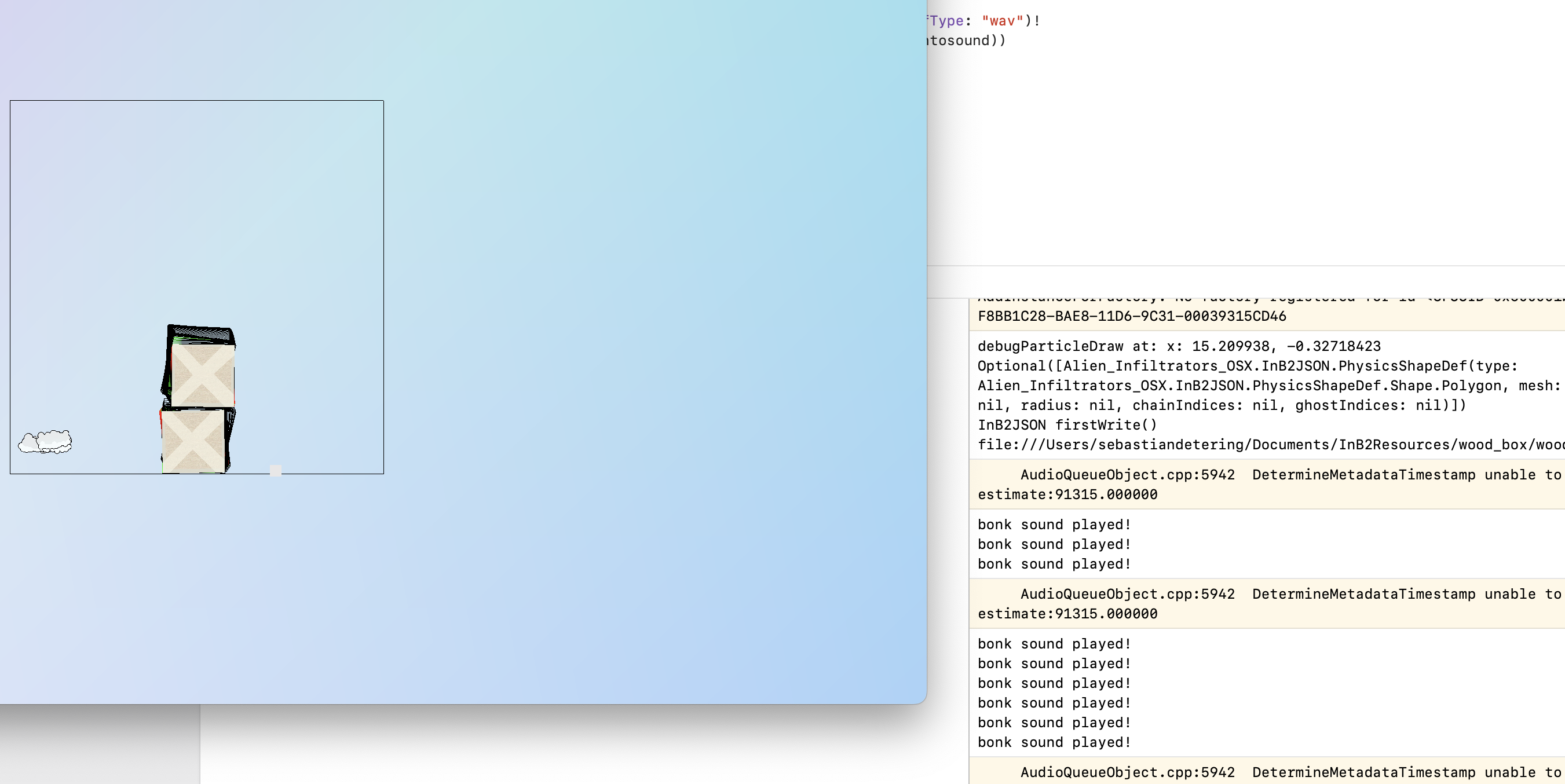
Now the Swift function _beginContactCallback has been passed successfully and type-safe all the way to the Box2D C++ code. Let's try it out by building and running the app!
swift-function-called-example.png727 KB
Summary of calling Swift functions within C++ code
You can use C++ libraries within Swift, the performance and variety of available C++ libraries makes using C++ libraries worth it. If you need to pass a Swift function as a parameter to your C++, you just need to create an Objective C interface and call it in your C++ code. Hopefully this article has helped you if you were looking to do something similar!
Why not use C++ modules directly in Swift?
I read swift.org's cxx interop article on setting up mixed Language Swift and C++ projects, however I found no clear directions on how to use C++ directly in Swift the way I am in my XCode project. Furthermore a quick scan of a Swift forum discussion on emit a C++ header in a Swift project made me think that the setup is difficult, and may cause additional project bloat and or build overhead:
wadetregaskis May 2024 I've been wondering this too, a bit. It'd be nice to be able (eventually) to produce good-quality C++ APIs atop Swift code. I like to think it opens some doors for using Swift for core implementations while supporting C++ users, rather than the other way around. ...
dima_kozhinov The C++ header is generated, but nowadays it has become so huge that I have doubts that is will compile without problems on C++ side. Let me explain what I mean: ... Example: My library contains 4 lines of code:
@_cdecl("meaningOfLife")
publicfuncmeaningOfLife() -> Int {
return 42
}
The emitted header for my library contains 3975 lines of code (Swift 6.1.2, Windows platform). I could not even paste it here, as Discourse has a limit on number of lines in one post.
Therefore, I think the Objective C to C++ wrapper approach made sense to me, and I'd achieved results with this for other Box2D to Swift interfaces I've been writing.